Since it is an older model, the TWAIN device driver only runs on Windows 10. So I had to buy an old laptop to run the scanner.
I use pytwain and python to drive the scanner. After some debugging, it seemed best to to write out .bmp files of the whole scanner bed. I'm scanning at 400dpi, so that is 4800x5800 for 80MB per image. A big thank you to Mikhail Denisenko and pytwain
I transfer the .bmp files to my laptop.
I run a Python script with Pillow imaging library to create PNG files that are 3040x5100 to cover the 7.5"x12.75" pages.
There I check the quality and delete some that need to be rescanned. The position of the book on the scanner needs to be just right.
I run another Python/Pillow script to rotate every other page by 180 degrees.
Then I rename the files to be FPS_1836_NNN.png where NNN corresponds to the numbers in pencil on the pages. FPS_1836 is the short name for the book First Parish Records, 1836-1956.
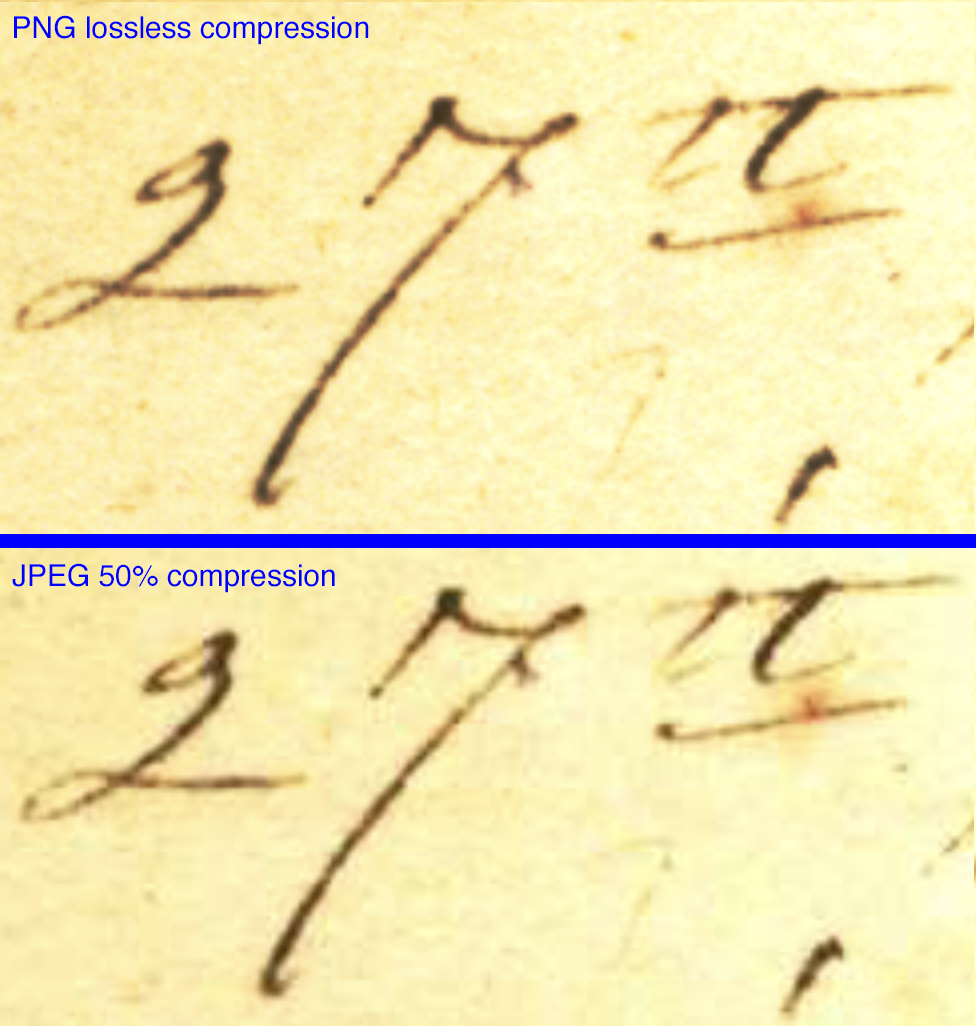
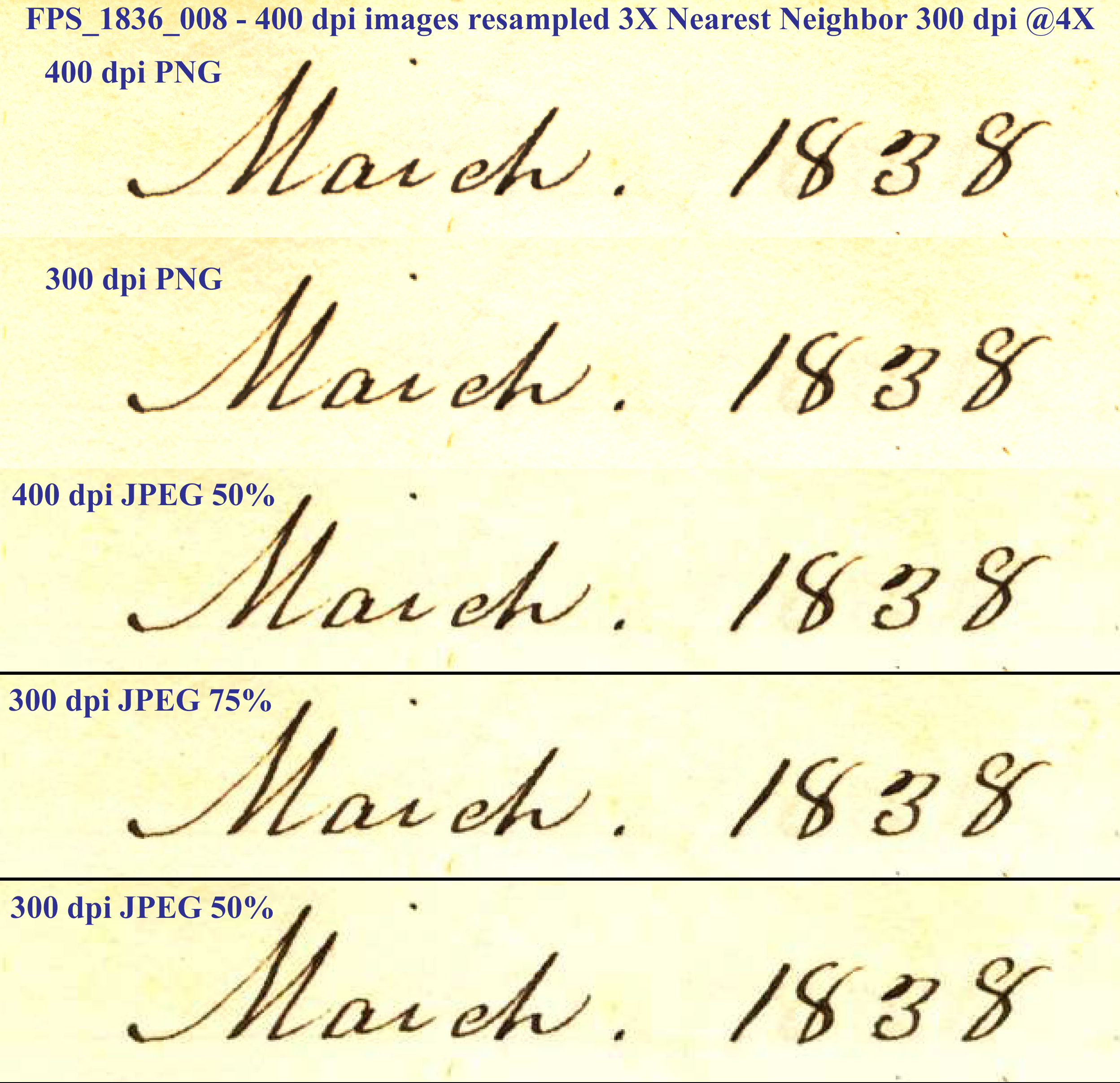
Next I use Python & Pillow to create JPEG files that have the quality setting at 50%. See note about the compression below.
I will keep the uncompressed .png files as the source images. They are about 20 MB per file.
Finally, I use Python & Pillow to create PDF files,
I also looked at making smaller 300 dpi images. The PNG file is 10.7MB with the JPEG compression 75% (977K) and 50% (653K). (another look) The grain of the paper is lost with the JPEG compression.
Using the Photoshop 1-12 scale, the size of the files saved with quality 12 is 16.2 MB, 11 is 9.1 MB, 10 is 5.5 MB, 9 is 3.6, 8 is 2.6, 7 is 1.9, 6 is 1.7 and at quality 5, the JPEG is 1.3 MB.
2024-00-03 jch.com/archives/FirstParishOfSudbury/FPS_Records1836_1956/Procedure.html <> YON